

Academic Deadline Calendar
This project was created to provide students an easy way to add all important deadlines to their calendar. The project consists of 3 main parts: the shared calendar itself, the Jotform (software used by LSC for generating forms) hosted .ics file, and the scannable QR code allowing for the easy scan + add of all dates to the calendar.
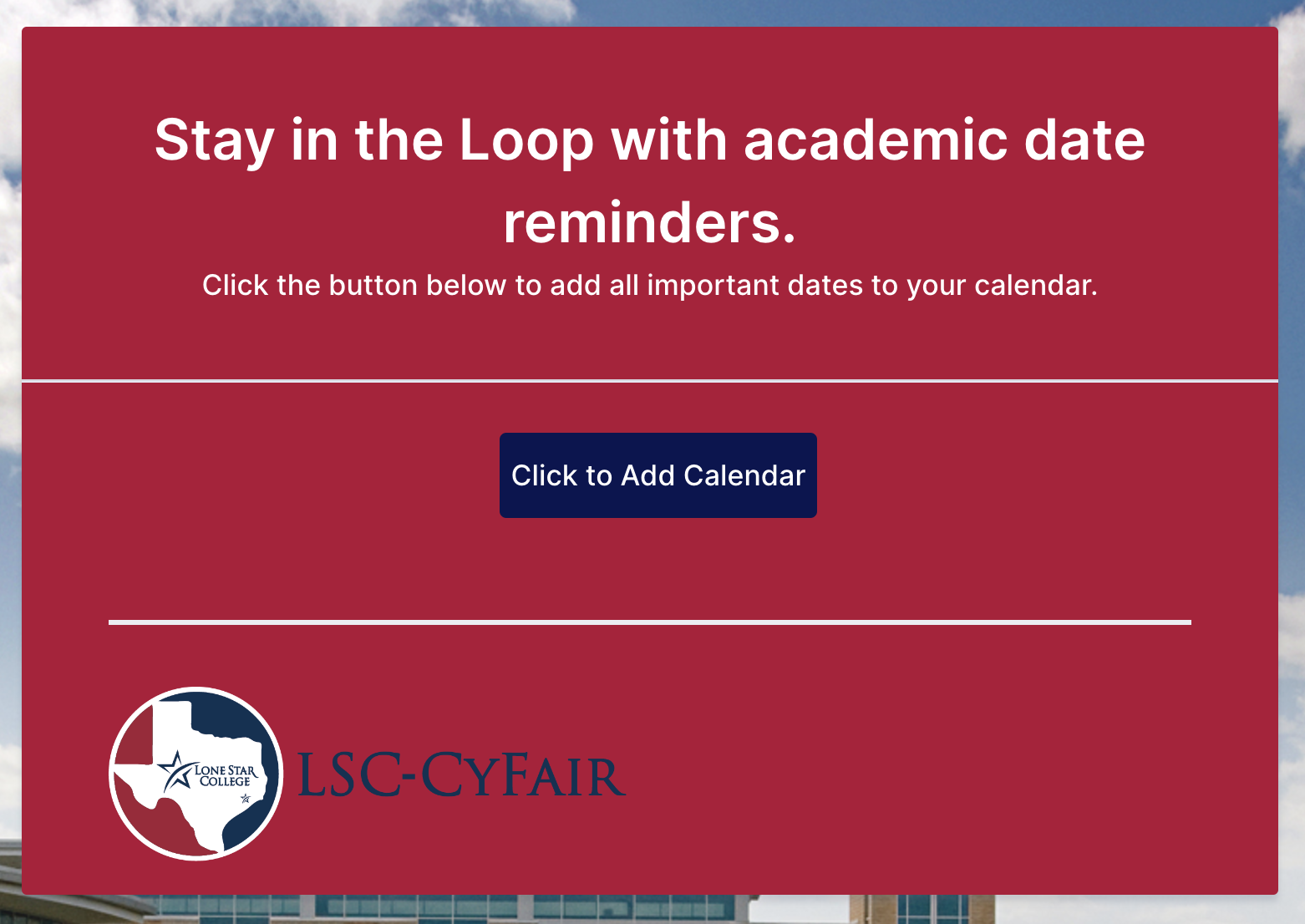
Homepage that qr code/link direct to. This is where the .ics file from the shared calendar can be accessed and downloaded either by direct link to QR code.
QR Code linking to calendar. Included on public facing video displays, email signatures, etc.
Example Deadlines
Example calendar. The actual calendar is hosted in Outlook. This calendar will allow you to see the details of each event (in this case deadlines) attached to it.
Project Breakdown
-
The purpose of this project was to find a way for students to be able to add important dates during the academic semester to their calendars. The only specific requirement was that the calendar needed to be shared via QR code. This was the extent of the project as initially presented. Where to host the calendar, the method of distributing the calendar, and the template for each “event” (date) in the calendar was left up to me.
-
The first part of the project involved me doing some research into how calendars are shared. We use different Outlook inboxes for different job functions, so my thinking was that the main inbox we use would be the best place to host the calendar.
The problem with outlook though, (as far as I could tell) is that calendars needed to be shared per user and cannot be shared otherwise. I learned however that a shared Outlook calendar does have a .ics calendar file attached to it. This calendar file can be used to add all dates from the shared calendar to a user’s calendar. We would just need a way for students to access the file in a way that would allow it to be accessed via link and via QR code.
Because we have very limited access to what we can do on the backend (i.e., setting up a specific webpage through the Lonestar.edu domain), I decided that the best course of action would be to have the shared calendar file hosted somewhere we do have access to. In the end I decided that the .ics file would be hosted on a JotForm. This is a service that we use very often for things like registration forms, etc.
Now that I had decided what and where, all that was left was to figure out the How (how to deliver the .ics file). After some testing with JotForm, I could not find a purpose-built way to have a file download be delivered when clicking a button. The workaround I ended up using was to utilize a JotForm’s functionality of redirecting to a domain after submitting a form. I turned the “form” into the splash page above and the “submit” button was renamed. Upon clicking the “Click to add to calendar button,” the JotForm would redirect to the url of the shared .ics file from the Outlook calendar.
After testing, this method was found to work across all platforms, and did what I needed it to do. Because it was through JotForm, the QR code requirement was met as JotForm has a built-in QR code generator for forms.
-
I learned a lot during this project. I learned how to research more accurately to find solutions to problems I wanted to solve. I also learned a brief overview about the framework of shared calendars, as well as a brief overview of where and how files are hosted. I also got some more experience in using workarounds in more rigid systems (only using JotForm or an application for file sharing) to get to my ideal solution. I also learned how to weigh the pros and cons of a solution. The method I went with this project has one main downside: any updates to the calendar cannot be pushed to anyone who has already scanned the calendar.
Overall I very much enjoyed this project. I was not given much of anything to start, but I thoroughly enjoyed researching and testing my way through the process. The end result ended up being exactly what I had hoped for. The calendar has received lots of praise for how easy and helpful it is to use and share with students.